XProc Pipelines
XProc 3.0 pipelines (.xpl, .xproc) are first-class editor
documents, executed with the embedded XML Calabash 3 engine:
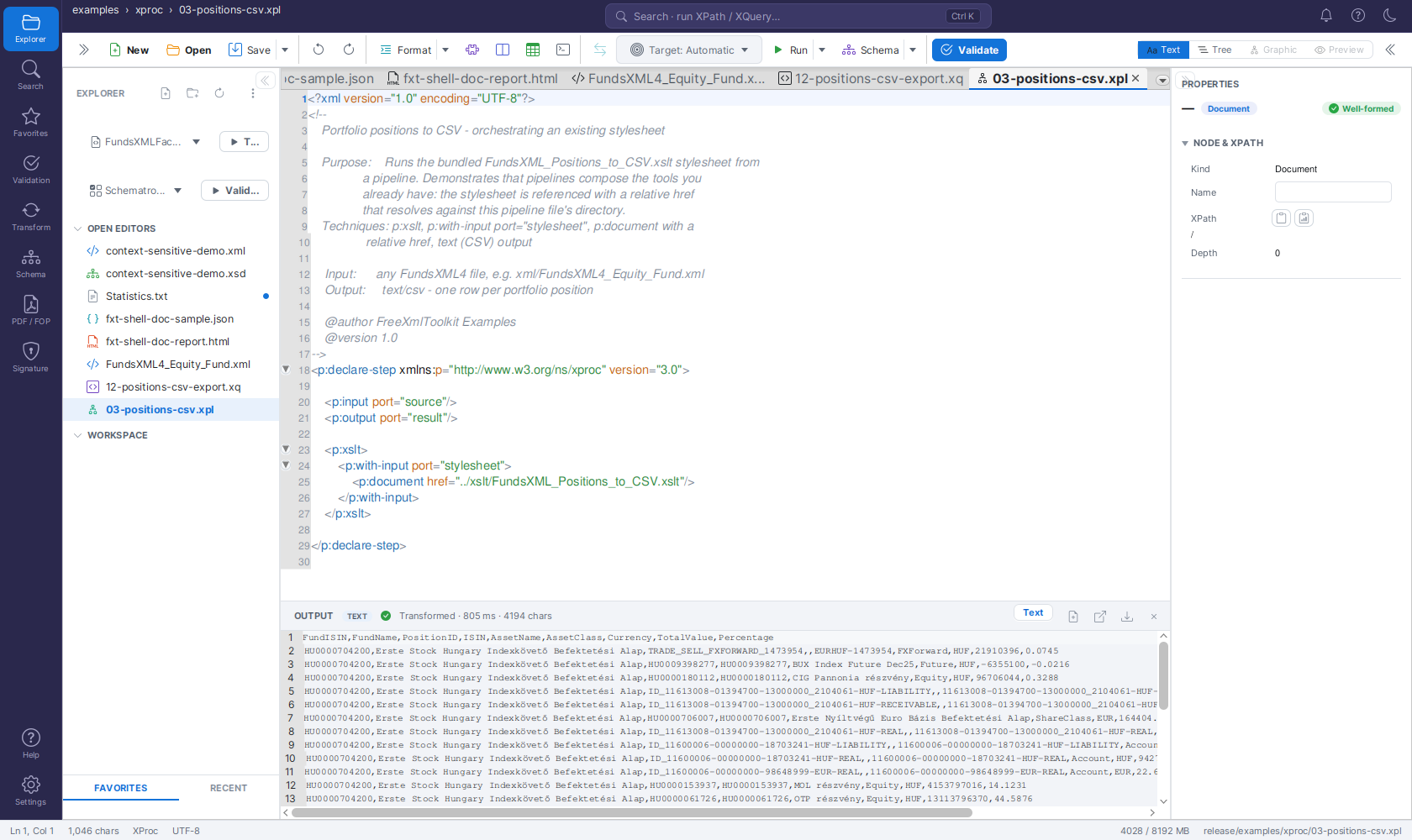 The bundled
03-positions-csv.xpl example after Run Pipeline: the pipeline runs
the CSV export stylesheet (referenced with a relative href) against the Automatic
target and streams the result into the OUTPUT panel.
- Run Pipeline (the toolbar's Run button or its ▾ menu, or
Ctrl+Enter) runs the active pipeline. The primary input (sourceport) is the document chosen in the Input dropdown — by default the most recently active XML document, exactly like Run Query and Run Transform. - Relative
hrefs in the pipeline (p:document,p:xsltstylesheets, Schematron schemas) resolve against the pipeline file's directory. - Results appear in the OUTPUT panel; XML, HTML, text/CSV and JSON outputs are routed to the matching view automatically.
- Self-contained pipelines (no input ports, or ports with default bindings) run without a target.
- File → New offers an XProc skeleton (
p:declare-stepwithsource/resultports andp:identity). - Ready-to-run examples ship in
examples/xproc/— see Bundled Example Collections.
Saxon-HE limitations
p:validate-with-xml-schema and p:xsl-formatter require Saxon-EE and are not
available; use the Validation activity (Xerces, full XSD 1.1) and the PDF/FOP
activity instead. p:validate-with-json-schema is not supported in this bundle.